Google Meet Attendance Without Workspace
Google Meet does not include attendance tracking on most plans. The feature is only available on Workspace Business Plus and higher, starting at $18 per user per month. If you're on a free Gmail account or a cheaper Workspace plan, there's no built-in way to see who attended your meeting.
If you're running classes from a personal Gmail, hosting a webinar from your free account, or working at a small business on Workspace Starter, Google's answer to "how do I get attendance?" is essentially "upgrade."
The good news is that you don't actually have to. There's a thriving ecosystem of free Chrome extensions that read the Meet participant grid directly and produce attendance reports more detailed than what Workspace gives you.
This guide explains why Google does this, how the workarounds work, and how to set up reliable attendance tracking on a free Gmail account in under two minutes.
Why Google Locks Attendance Behind Paid Plans
Google deliberately segments Meet's premium features by plan tier as a way to drive Workspace upgrades. Attendance tracking sits alongside features like meeting recording, breakout rooms, polling and noise cancellation as a "value-add" reserved for higher tiers. Here's the full breakdown of where attendance tracking is included and where it isn't.
Prices as published by Google in August 2026. Check Google's current pricing before you commit.
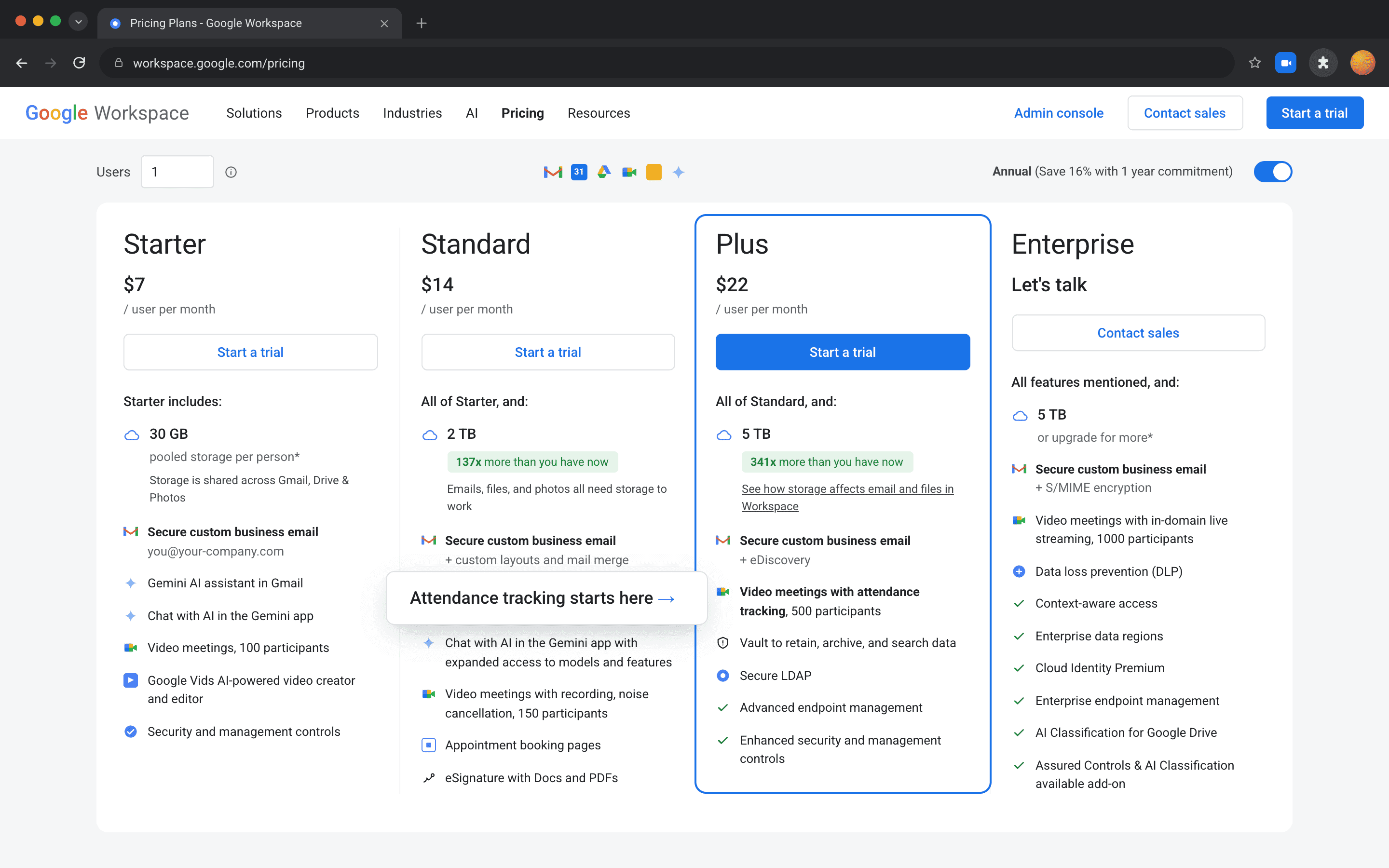
For a 10-person team on Business Standard, upgrading to Business Plus just for attendance tracking adds $3.60 per user per month ($18.00 less $14.40). That is $36 a month, or $432 a year. Coming from Business Starter the gap is $10.80 per user per month, which is $108 a month or $1,296 a year.
For a school running on Education Fundamentals, attendance is the whole reason for tracking, but the only Google plans that include it require either Education Plus or the Teaching & Learning Upgrade add-on.
The Solution: Chrome Extensions
Chrome extensions sidestep Google's plan restrictions entirely because they don't use Google's attendance API. Instead, they read the participant grid that's already rendered in your browser. Every Meet user, regardless of plan, sees the same participant data in the UI. Extensions just record what's already on screen, then organize it into a report.
Because the data is captured client-side, extensions work for free Gmail accounts, Workspace Starter, Education Fundamentals, and any other plan tier. They work if you're the host or a guest, which is something Google's native tracking does not allow. Prefer a no-extension flow? Try the Workspace add-on instead.
AttendKit: Best Free Option for Gmail Users
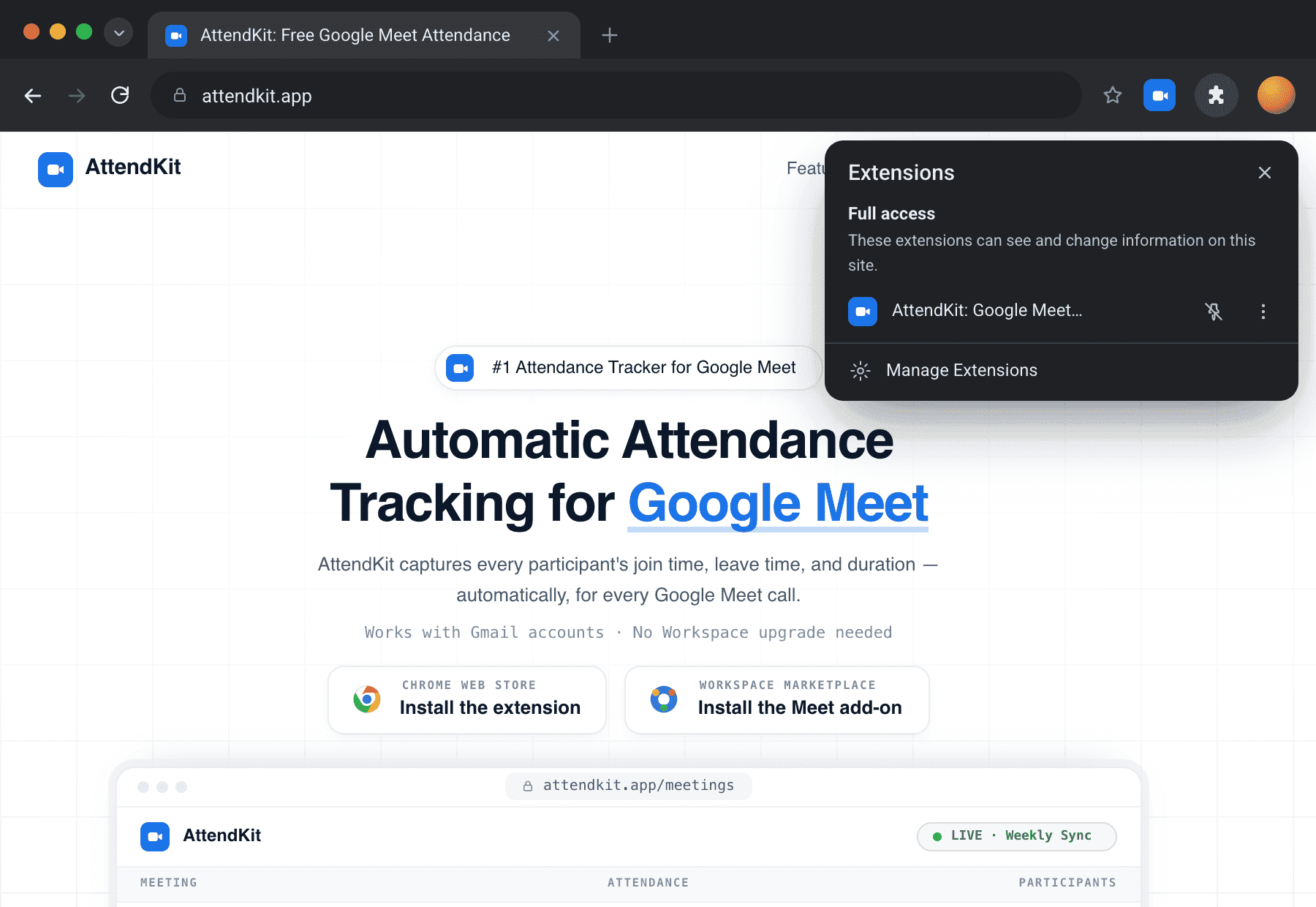
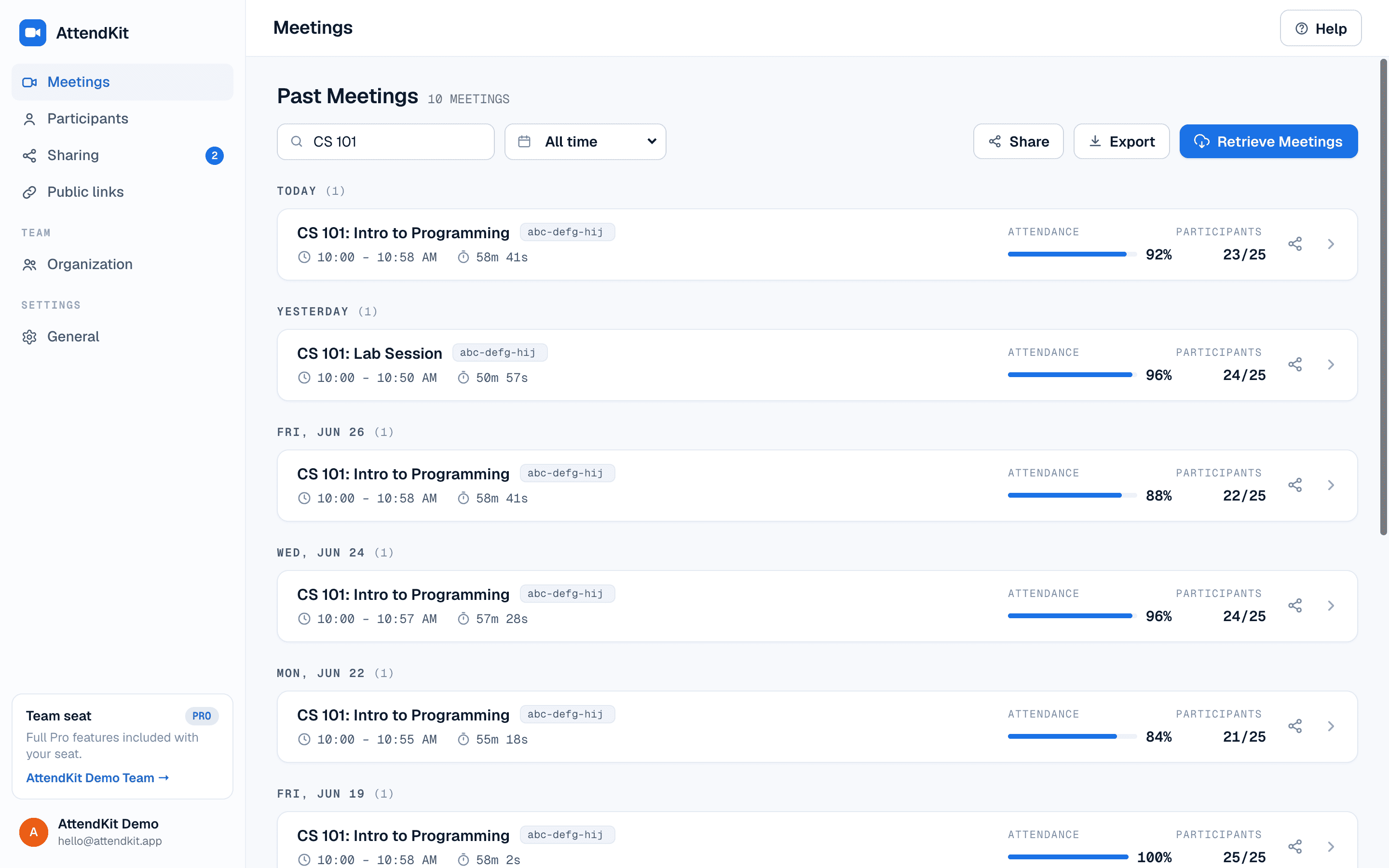
AttendKit is built specifically for users who don't have access to Google's native attendance tracking. It works on every Google account type, captures more data than Workspace's built-in feature, and stores everything in a searchable dashboard you can come back to weeks or months later.
Setup (Under 2 Minutes)
- Install the AttendKit Chrome extension from the Chrome Web Store.
- Sign in to AttendKit with the Google account you use for Meet calls.
- Grant the requested scopes. AttendKit asks for read-only access to your Meet meeting records, Calendar events, Contacts, other contacts, and your organization's directory, and nothing more. Review our Privacy Policy for details.
- Join your next meeting normally. The extension handles the rest. When the call ends, the report is already waiting in your AttendKit dashboard.
What You Get
- Every meeting you join, automatically logged.
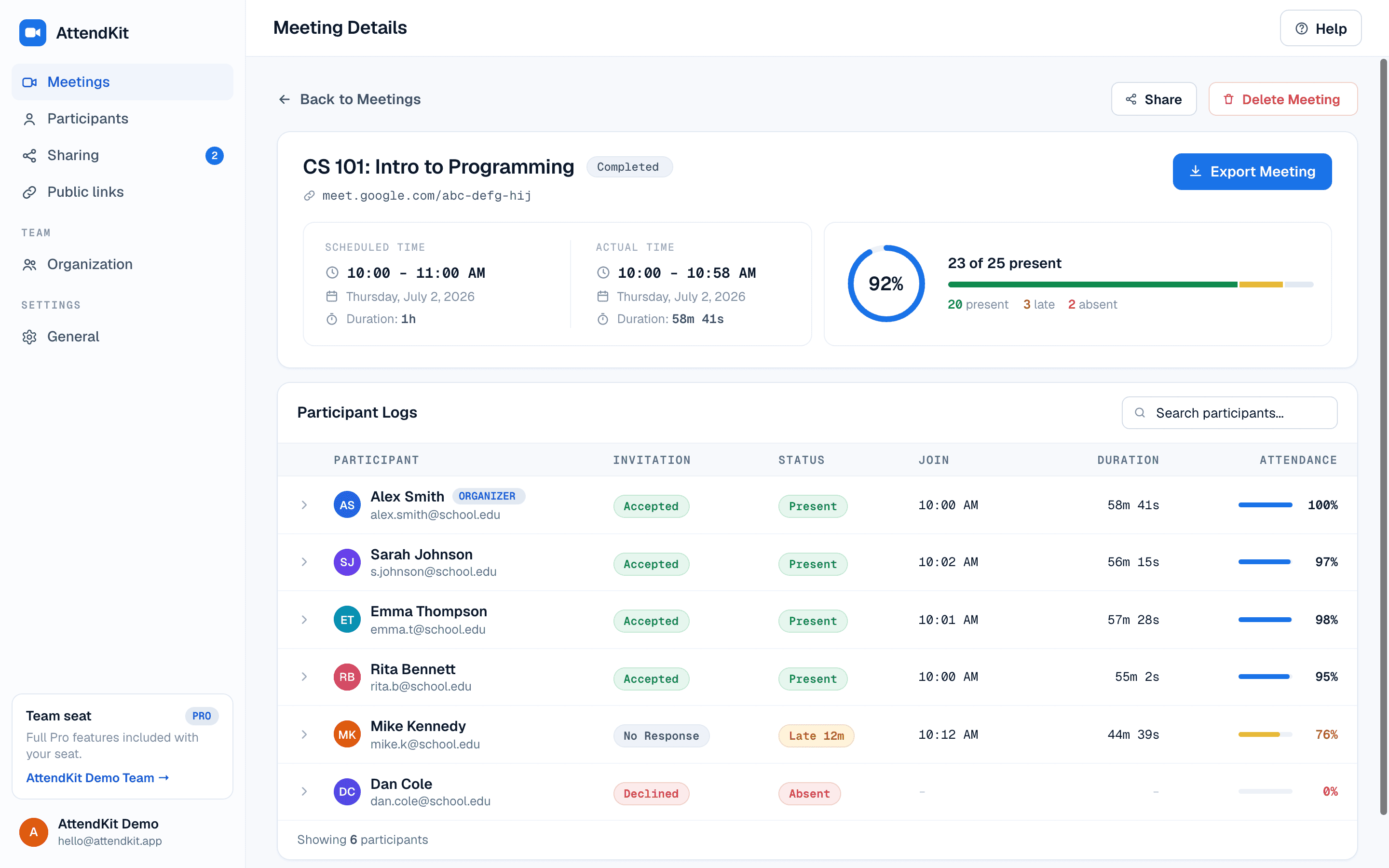
- Per-participant join time, leave time and total duration.
- Multi-session tracking. Every join and leave, not just the first and last.
- Calendar enrichment with the meeting title, organizer, description, and full invite list. See meeting details for more.
- Attendance percentage and present/late/absent status against the meeting's actual start (configurable late threshold).
- Anonymous and phone-dial-in participant handling.
- Cross-meeting participant profiles showing every meeting a person has attended with you.
- One click CSV export, with PDF reports on Pro.
- Searchable dashboard that doesn't expire.
What the Free Tier Includes
The free tier covers your first 30 meetings. That is a lifetime total, not a monthly allowance, and it does not reset. Within it you get everything above: automatic tracking, join and leave times, durations, attendance percentages, Present, Late and Absent status, participant profiles, and Basic CSV export.
PDF reports, advanced CSV, bulk export, retrieving past meetings and public report links are on Pro. Teammate sharing and organization seats are on the Team plans. Nothing you have already tracked is taken away when you reach the limit. Only new tracking pauses.
What Makes This Better Than Workspace's Native Tracking

Pricing
AttendKit is free for your first 30 meetings. The limit is a lifetime total, not monthly. The Pro plan is $39 per year and includes unlimited meetings, advanced CSV export, PDF reports, retrieving past meetings, and public report links. Compared to upgrading every seat in your organization to Workspace Business Plus at $18 per user per month, even Pro is dramatically cheaper. Once you are signed in you can manage your plan from Settings.
Other Free Methods
AttendKit isn't the only option. Depending on your situation, one of these alternatives might work too.
Manual Screenshots
Open the participant panel and screenshot it every few minutes. After the meeting, transcribe the names into a spreadsheet. This costs nothing but only works for very small meetings. Anything over a dozen people becomes painful, and you miss everyone who joined or left between captures. There's also no way to know how long each participant actually stayed.
Google Forms Check-in
Create a Google Form with name and email fields, drop the link in chat at the start of the meeting, and check the linked Sheet afterwards. The form auto-timestamps each submission, so you get a rough sign-in record. The downside is that it's self-reported. Anyone can fail to fill it in, fill it in twice, or submit after the fact. You also only capture one timestamp per person, not duration.
MeetList (Chrome Extension)
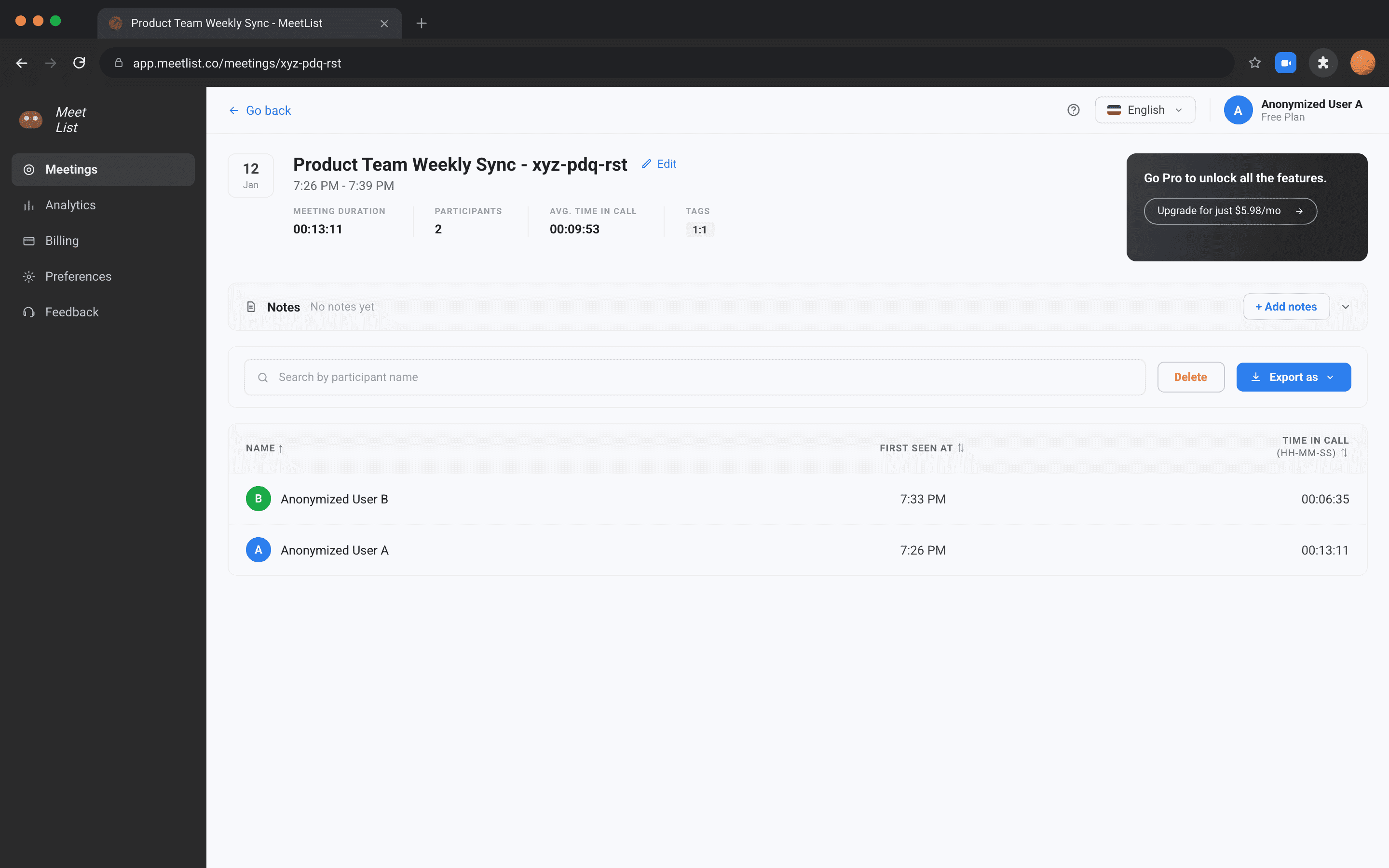
MeetList is a popular free alternative that captures the participant list as a CSV when you click its toolbar button during a meeting. It's simpler than AttendKit and good for one-off captures, but it doesn't maintain a dashboard, doesn't track durations across joins and leaves, and doesn't enrich with calendar context. For occasional use it's fine; for ongoing tracking, you'll want something that stores history.
Who Benefits Most from Extension-Based Tracking
Teachers running classes on personal Gmail or Education Fundamentals accounts get the most obvious benefit. Native attendance is locked behind Education Plus or the Teaching & Learning Upgrade, which most schools don't buy.
An extension means every class's attendance is logged automatically, and recurring sessions stitch together so you can see who's missing repeatedly. This pairs well with Google Classroom for grading workflows.
Tutors billing parents or students by the session need defensible records of when each session started and ended, and who actually attended. An extension produces this without any manual work and gives you exportable reports to attach to invoices. You can also send a public report link: a read only page with participant emails masked and an optional expiry date, so a parent can check the session record without you emailing a spreadsheet.
Small teams on Workspace Starter or Standard get the same attendance benefit as a Business Plus team without paying the upgrade premium. For a 10-person team that is $36 a month coming from Standard, or $108 a month coming from Starter.
Schools on Education Fundamentals can deploy an extension across teacher accounts and get attendance for every class, something Education Fundamentals on its own cannot do. The cost per teacher is far below the per-student cost of Education Plus.
Frequently Asked Questions
Yes. Extensions like AttendKit and MeetList read the participant grid in your browser, which is the same regardless of account type. Free Gmail, Workspace Starter, and Education Fundamentals all work identically.
Reputable extensions only request the permissions they need, typically the Meet domain and Google sign-in. AttendKit requests read-only access to your Meet, Calendar, Contacts and directory data, and nothing else.
Extensions run client-side in your browser only. Other participants have no way to know you are using one. Google's native tracking, by contrast, shows a notification to all attendees when it is enabled.
Nothing breaks. AttendKit works the same on Workspace as on free Gmail, and your historical data stays in the same dashboard. Many users run both, since the extension captures detail Google's native report does not.
Your first 30 meetings, as a lifetime total rather than a monthly allowance. That covers automatic tracking, join and leave times, durations, attendance percentages, Present, Late and Absent status, participant profiles, and Basic CSV export. PDF reports, advanced CSV, bulk export and public report links are on Pro.
Know who joined, when they arrived, and how long they stayed.