7 Best Google Meet Attendance Trackers in 2026
Search the Chrome Web Store for "Google Meet attendance" and you'll find dozens of extensions promising the same thing: a clean report of who attended your call and for how long.
The reality is that most are abandoned, half-finished, or so basic they are only marginally better than taking a screenshot. This comparison covers seven of the most popular attendance trackers still maintained in 2026.
Each one is compared on the same points: what it captures, how deep the reporting goes, how much setup it needs, what it costs, and how it handles the messy cases like anonymous guests, phone dial-ins, mid-meeting reconnects, and recurring meetings. Feature details come from each tool's own documentation and listing, linked throughout so you can check them.
This is how they compared, what each one is best for, and which one we'd recommend depending on your situation.
Quick Summary
For most users, AttendKit is the best Google Meet attendance tracker available right now. It works on every Google account type, captures more data than Google's native tracker, has a clean dashboard with cross-meeting history, and is free for your first 30 meetings.
If you only need basic capture and won't pay anything ever, MeetList is the best free-only option. For organizations already paying for Workspace Business Plus, Google's native tracking is fine for simple use cases but lacks the depth of dedicated tools.
1. AttendKit
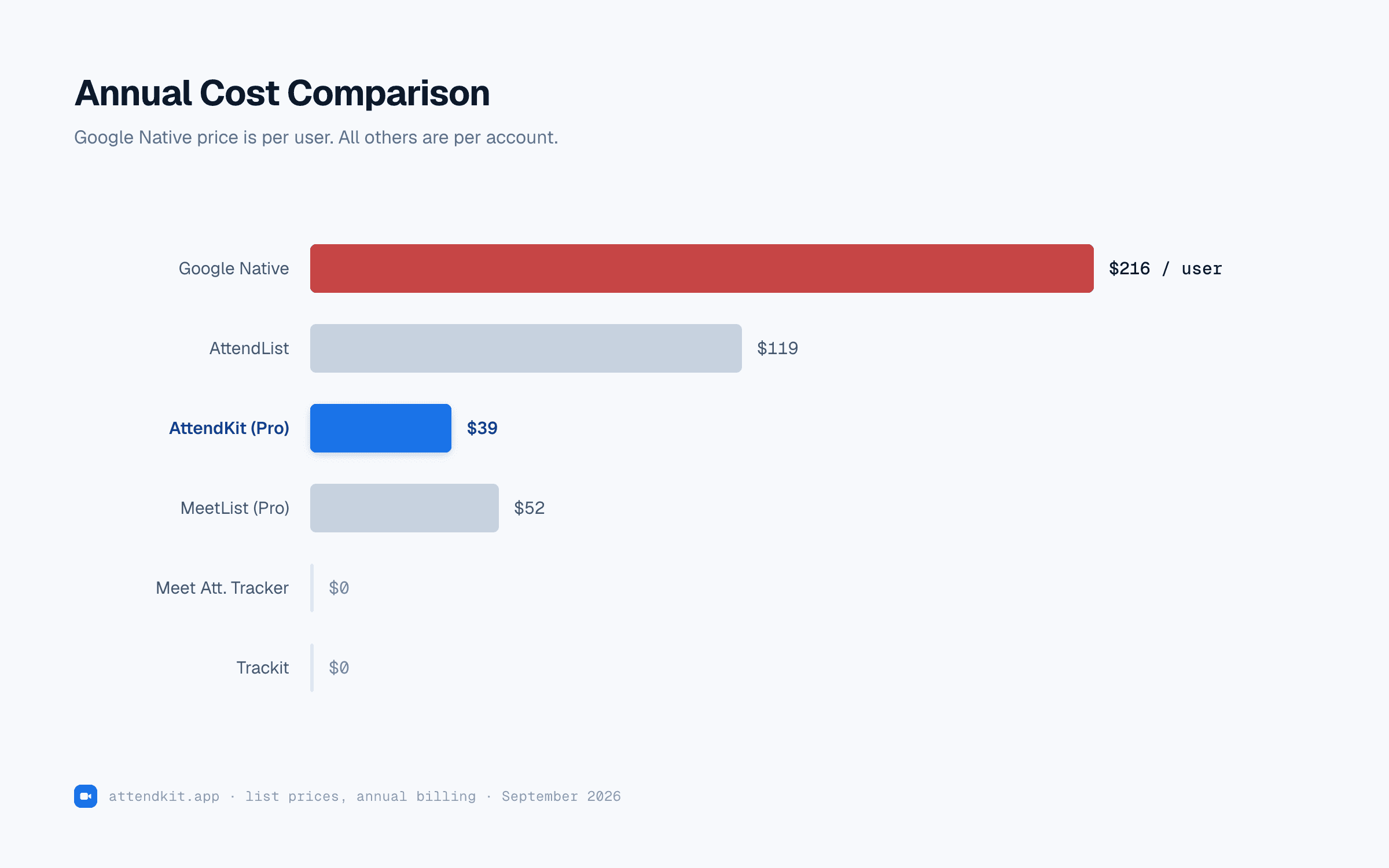
Pricing: First 30 meetings free (lifetime), Pro $39 per year
Best for: Teachers, tutors, small teams, anyone on free Gmail or Workspace plans without native attendance.
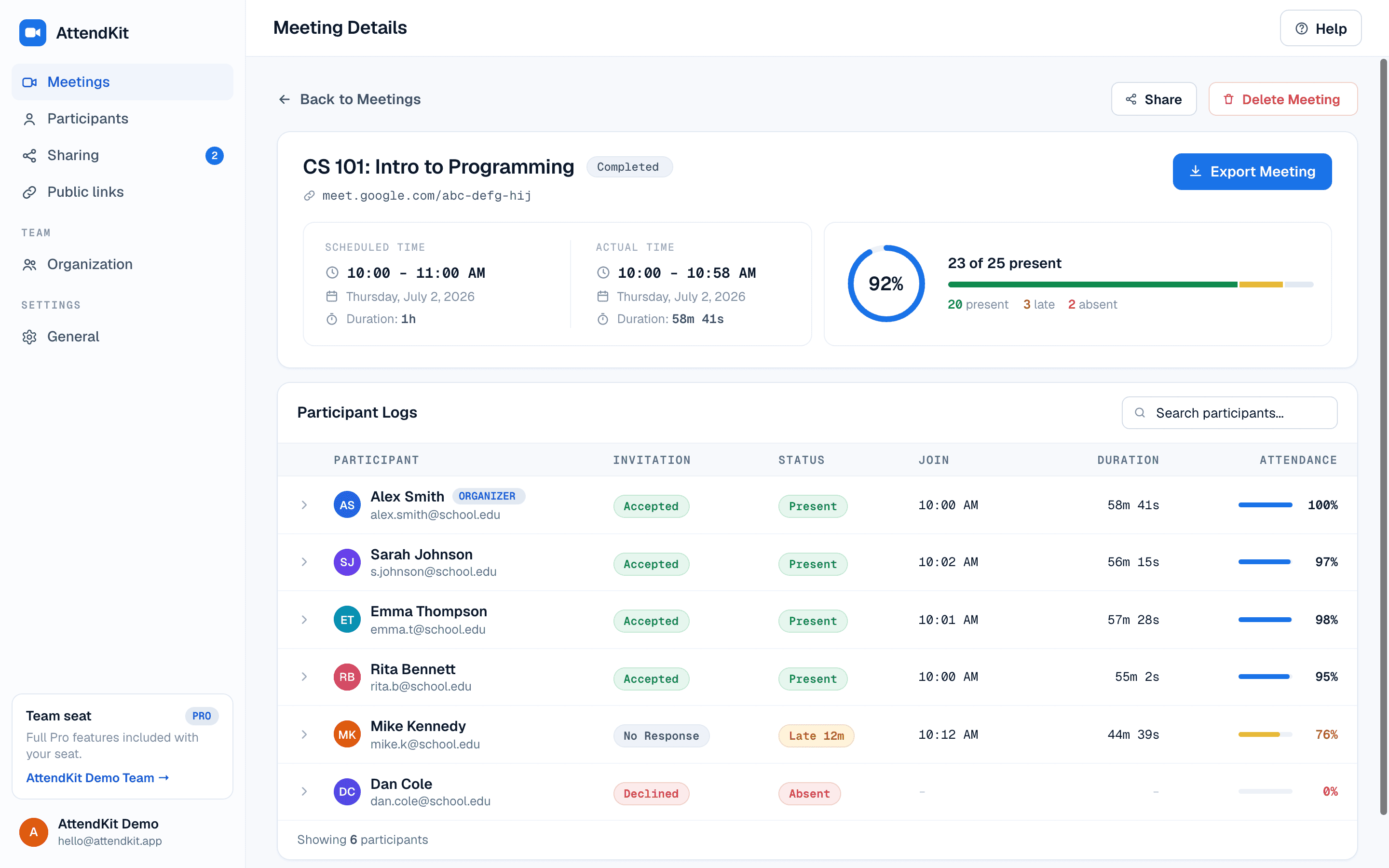
AttendKit is the most polished and feature-complete attendance tracker we tested. It pairs a Chrome extension that runs silently during meetings with a web dashboard that shows every meeting you've attended, fully enriched with calendar context.
Where most extensions stop at "here's a CSV," AttendKit stitches data across meetings, calculates attendance percentages and late status, and surfaces patterns you'd otherwise miss. Teams who prefer an in-Meet experience can also use the Workspace add-on.
What I liked:
- Setup took less than two minutes. Install, sign in, done.
- Captures every join and leave, not just first and last, so reconnects are visible.
- Calendar enrichment means meetings have proper titles, organizers, and invite lists. View full meeting details for more.
- Anonymous and phone dial-in handling is the cleanest of any tool tested.
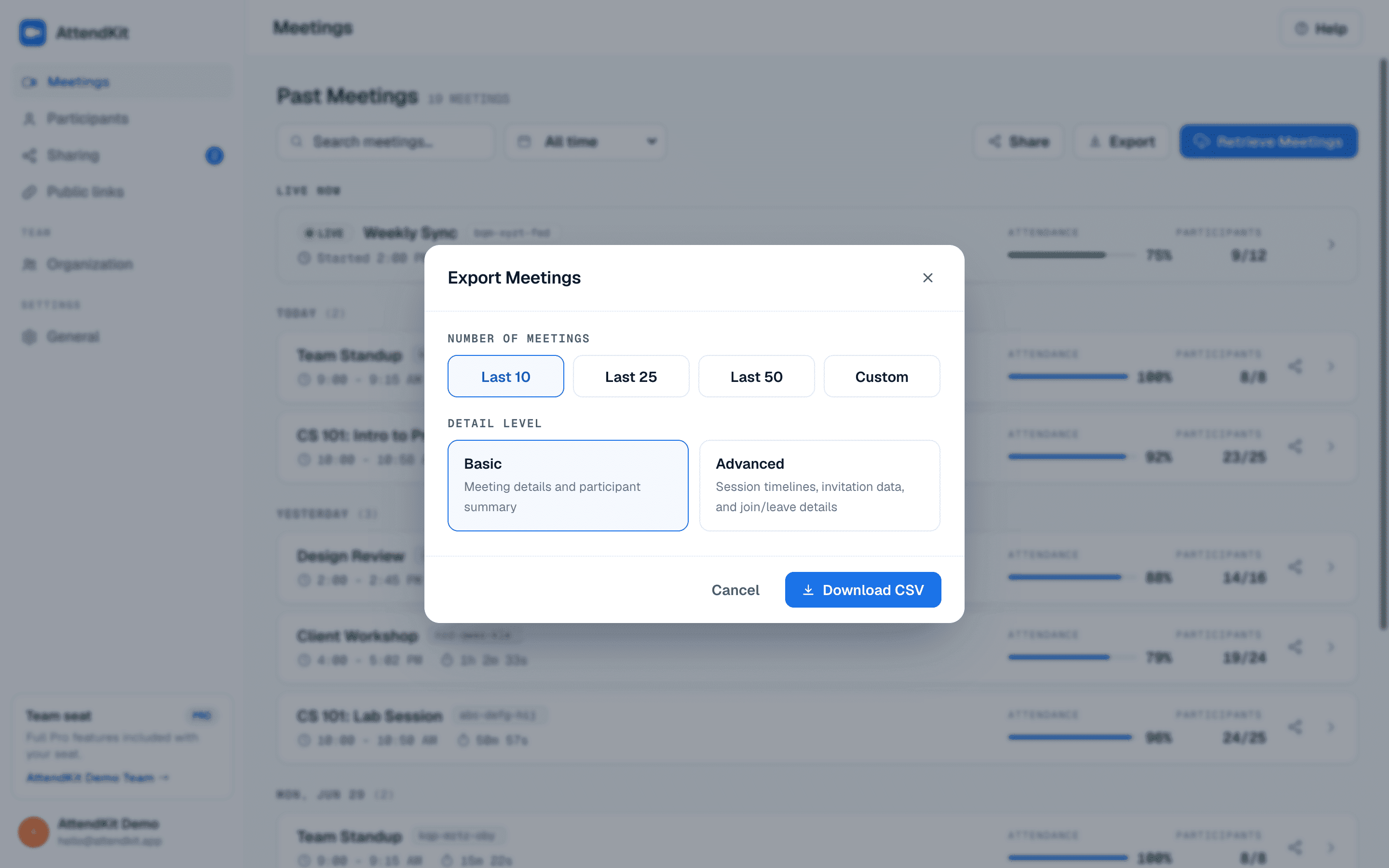
- Searchable AttendKit dashboard, with CSV export on every plan and PDF reports on Pro.
- Cross-meeting participant profiles. Click a person to see every meeting they've attended.
- The free tier is enough to evaluate properly, though it is a lifetime allowance rather than a monthly one.
What could be better:
- No mobile app yet. The dashboard is web-only (though it's responsive).
- The free tier caps at 30 meetings in total, for the lifetime of the account.
- No Slack or Teams integration yet for posting reports automatically.
Unique features not found in other trackers:
- Auto Attendance: automatically captures every Meet you join without any per-meeting setup. Toggle it from Settings once you are signed in.
- Per-participant cross-meeting history: click a name to see attendance across every meeting they've attended with you.
- Automatic late detection: measures from when the meeting actually started, not from when you personally joined, to flag late arrivals (configurable late threshold). It works on every call, including ones started directly in Meet.
- Reports fill in after the call: additional participant detail is added shortly after the meeting ends, so a report gets more complete rather than less.
- Team sharing: on the Team plan you can share meetings with teammates, who open them in their own account. Every plan from Pro up can also send a public report link to someone outside your organization.

2. AttendList
Pricing: Pro from $9.90 per month. Check their site for current tiers.
Best for: Power users who want maximum polish.
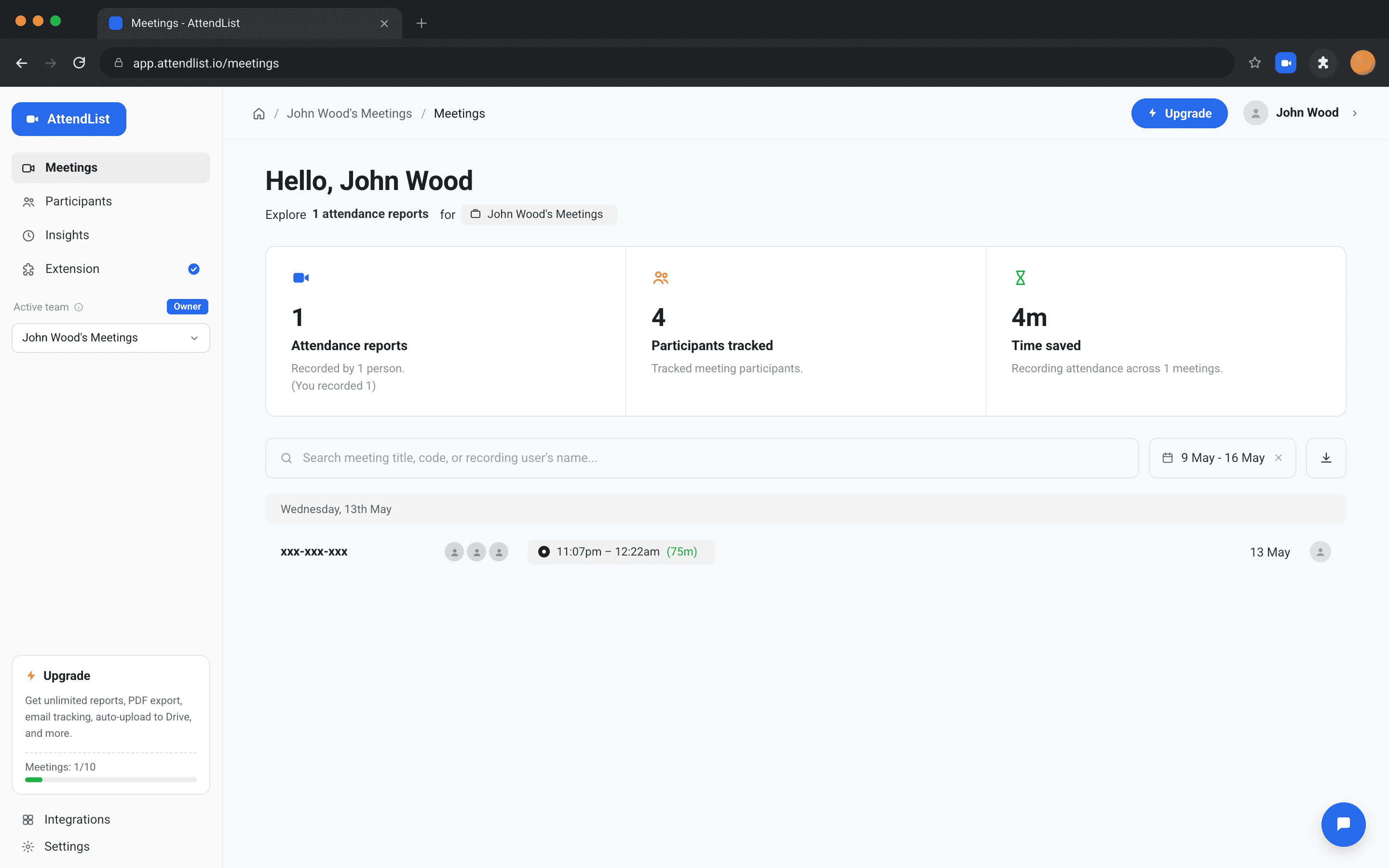
AttendList has a beautifully designed dashboard, fast performance, and excellent participant matching across recurring meetings.
It is the most refined attendance tracker we looked at.
What's good:
- Excellent UI. Feels like a premium SaaS tool.
- Strong participant deduplication across recurring meetings.
- Reliable capture, even on long calls and large rooms.
- Custom report templates for branded exports.
What's not:
- $9.90 per month flat, with no annual discount, makes it pricier over a year than AttendKit Pro.
- Less calendar context than AttendKit (no organizer/description enrichment).
- No cross-meeting per-participant view.
3. MeetList
Pricing: Free, or €3.99/month for Pro
Best for: Users who want a no-account, click-to-export experience.
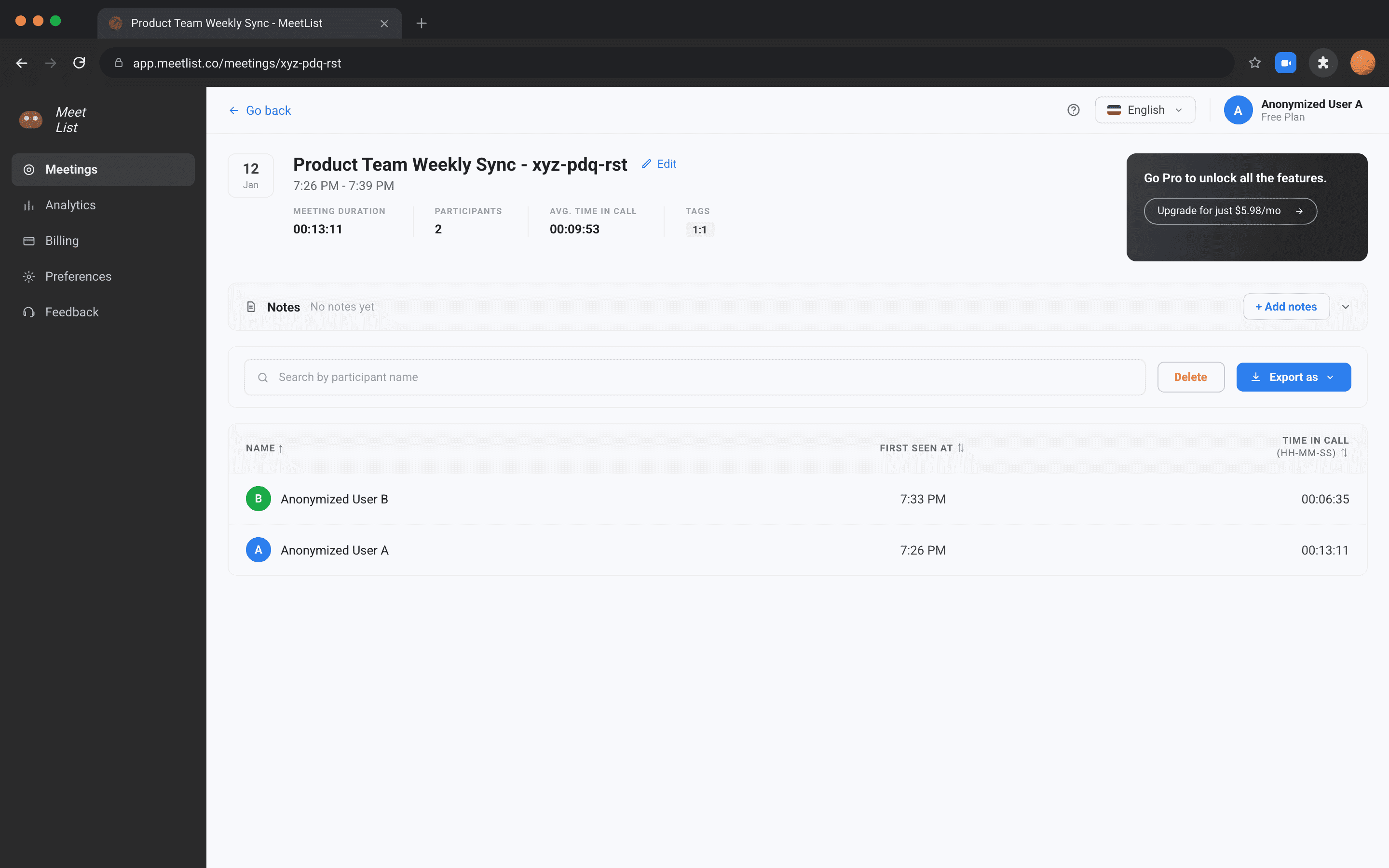
MeetList is the simplest tracker we tested. You click a toolbar button during a meeting, it grabs the current participant list as a CSV, and that's it.
No dashboard, no cross-meeting history, but also no setup beyond installing the extension.
What's good:
- Zero-account setup. Install and use immediately.
- Genuinely free for the basics.
- CSV export works reliably.
- Cheap Pro tier at €3.99/month for users who want extras.
What's not:
- No dashboard. Exports live wherever you saved them.
- No multi-session timeline. Only the snapshot at click time.
- No calendar enrichment.
- No analytics or attendance percentages.
4. Google's Built-in Tracking
Pricing: Included on Workspace Business Plus ($18/user/mo) and higher
Best for: Enterprises already paying for Business Plus or Education Plus.
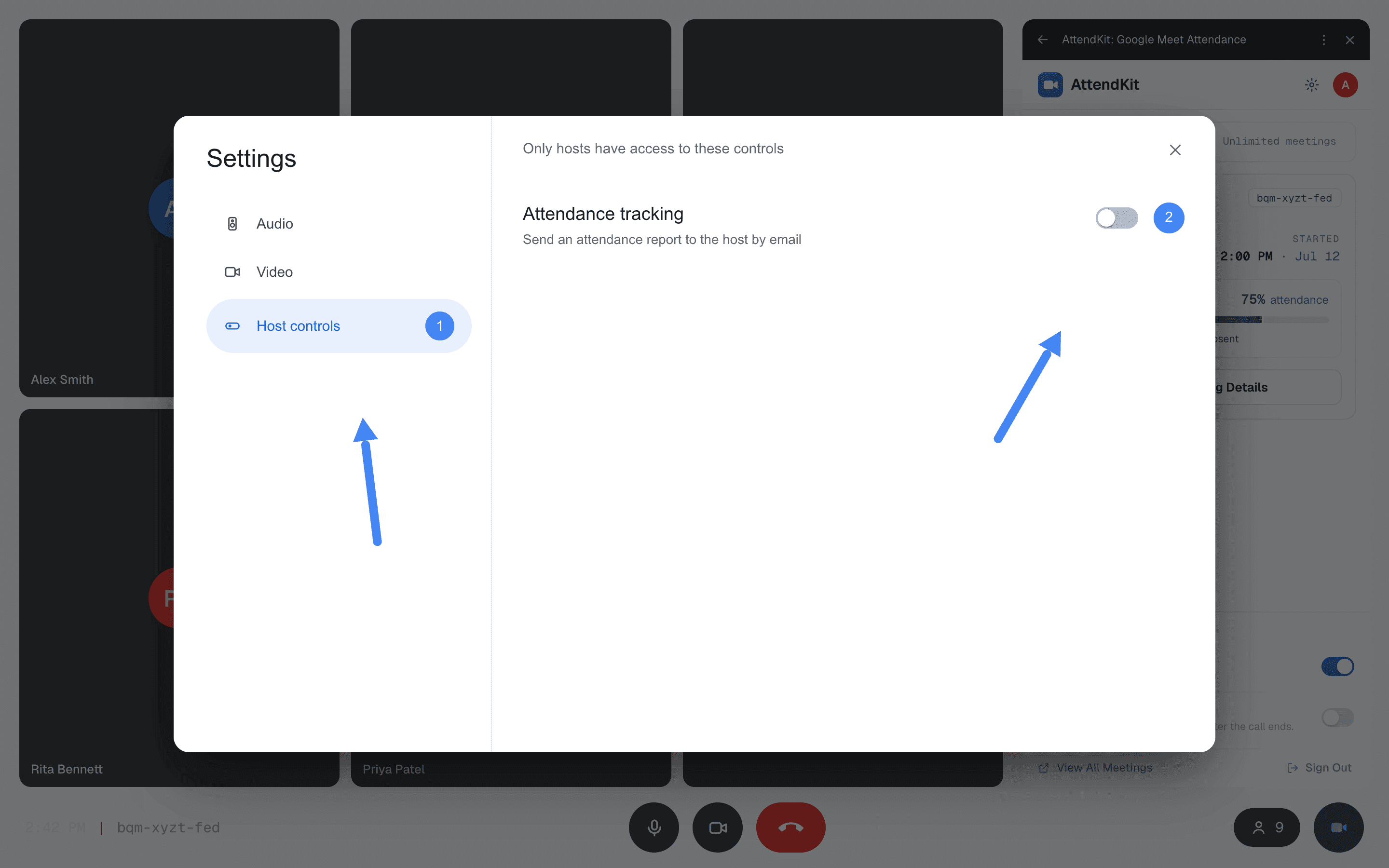
Google's native attendance tracking is built into Meet's host controls and emails the host a CSV after the meeting ends.
It's the simplest option if you're already on a supporting plan, but the feature set is minimal compared to dedicated tools. For a deeper walkthrough of generating an attendance report, see our complete guide.
What's good:
- Native to Meet. No extension required.
- Reliable capture for the basics.
- Email delivery is convenient if you only need occasional reports.
What's not:
- Locked behind Business Plus / Enterprise / Education Plus.
- No dashboard or historical archive. Lose the email, lose the report.
- First-join-and-last-leave only, no multi-session detail.
- Skipped entirely for meetings < 5 participants or < 2 minutes.
5. Trackit
Pricing: Free
Best for: Hybrid in-person/online events where some attendees scan a QR code.
Trackit's standout feature is QR code attendance. Generate a code at the start of a session, attendees scan it, and Trackit logs them.
It pairs the QR flow with basic Meet capture, making it useful for hybrid events where some people are in the room and others are remote.
What's good:
- QR code workflow is genuinely unique among Meet trackers.
- Free with no caps.
What's not:
- Meet-only capture is shallow. Durations and reconnects are unreliable.
- UI feels rough and dated.
- Limited analytics or reporting depth.
- Sparse documentation and slow support.
6. Meet Attendance Tracker
Pricing: Free
Best for: Teachers who want classroom-specific features baked in.
Meet Attendance Tracker leans hard into the teacher use case. It writes attendance directly to a Google Sheet, supports class rosters you can compare against, and flags absent students automatically.
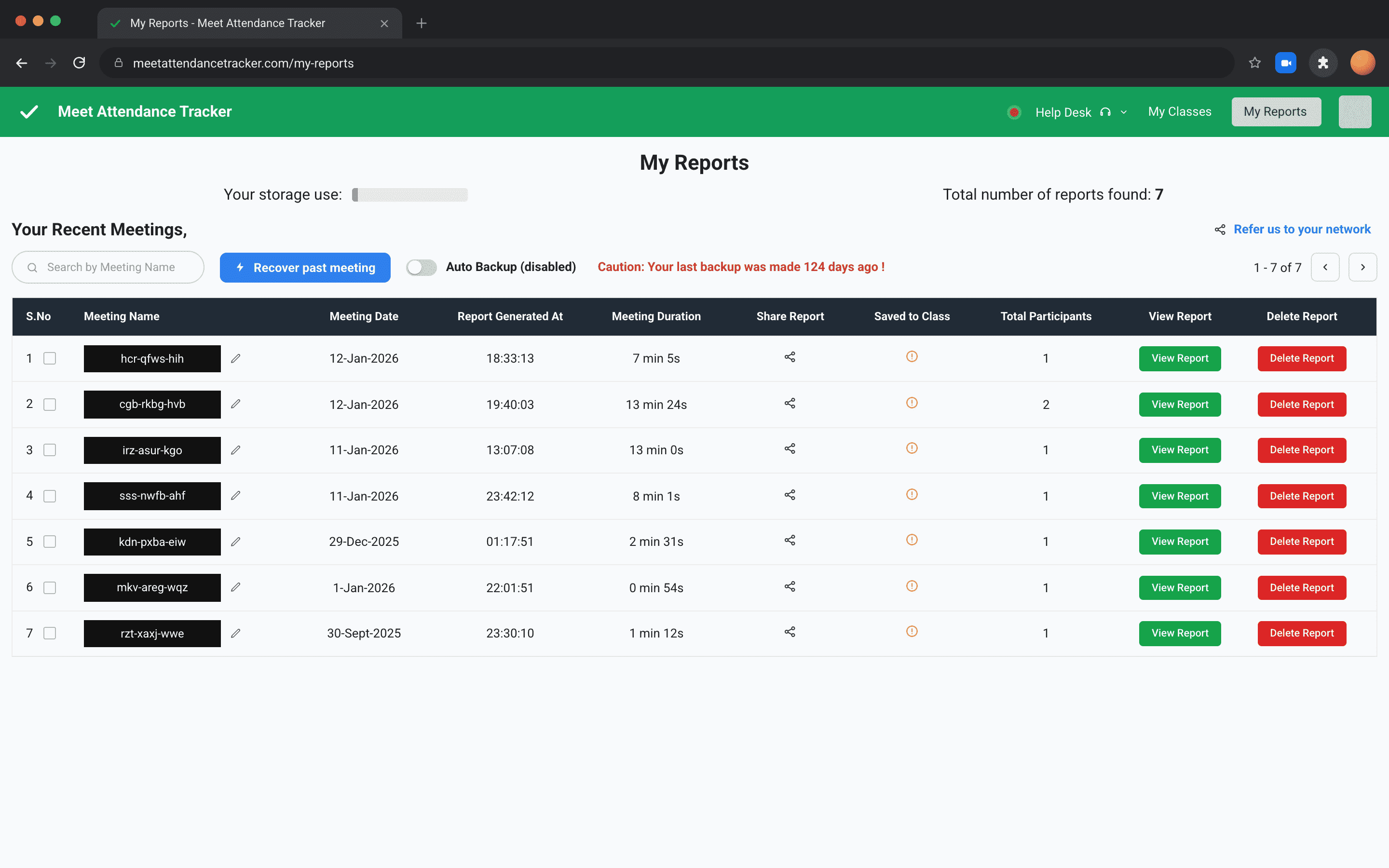
What's good:
- Class roster comparison. Upload a list, see who's missing.
- Direct Google Sheets integration.
- Free with no usage caps.
- Familiar workflow for teachers already living in Sheets.
What's not:
- Almost entirely teacher-focused. Overkill for general meetings.
- No dashboard outside of Sheets.
- Limited duration tracking. Mostly snapshot-based.
- Setup is more involved than dedicated tools.
7. Tactiq
Pricing: Free tier with paid plans starting at $8/month
Best for: Users who want transcripts and AI summaries, with attendance as a side feature.
Tactiq is primarily a live transcription and AI summary tool that happens to log who was in the meeting. If your main need is meeting notes and you'd like attendance as a bonus, it's a solid all-in-one choice.
As a pure attendance tracker, however, it's outclassed by purpose-built tools. Durations are approximate, reconnect handling is weak, and the participant list isn't the focus of the product. If you're tracking without Workspace, a dedicated tool will serve you better.
Master Comparison Table
Tactiq is covered above but left out of this table. It is a transcription and summary tool that happens to log who was present, so comparing it row by row against dedicated attendance trackers would flatter it on some rows and misrepresent it on others.
Our Recommendation
For most users, AttendKit is the right choice. It works on every Google account type, captures more data than Google's native tracker, and has the most detailed dashboard of the tools compared here. The free tier is enough to evaluate it properly, though at 30 meetings lifetime it is a trial rather than a permanent free plan. Pro at $39 per year is competitive with the closest paid alternative and includes cross-meeting history, calendar enrichment and PDF reports.
If you refuse to pay anything, ever, MeetList is the best free-only option. It's simple, reliable, and doesn't require an account. You give up the dashboard and analytics, but for one-off CSV exports it does the job better than any other always-free tool.
For enterprises already on Workspace Business Plus or Education Plus, Google's native tracking is fine for simple use cases. If you only need a basic CSV email after each meeting and you're already paying for the plan, there's no reason to add another tool, unless you need multi-session timelines, cross-meeting history, or a searchable dashboard, in which case layering AttendKit on top gives you both Google's native delivery and the depth of a dedicated tracker.
Frequently Asked Questions
AttendKit, mainly because it works on free Gmail and Education Fundamentals accounts where Google's native tracking is unavailable, and because it records late arrivals against the meeting's actual start rather than the host's join time.
MeetList and Trackit have always-free tiers. AttendKit is free for your first 30 meetings as a lifetime total, which is enough to evaluate it but not a permanent free plan. Google's own tracking is not free: it requires Business Plus or higher.
No. With every tool compared here, only the person tracking attendance installs anything. Everyone else joins Google Meet as normal and is not notified.
Any of the Chrome extensions compared here, because they read the participant list already rendered in your browser rather than calling Google's attendance API. Google's native tracking is the one option that requires a paid Workspace plan.
It varies, and it is the clearest difference between them. Google's native report shows only the first join and last leave. AttendKit records each session separately and sums the connected time, so a participant who dropped out mid-call shows a full timeline and a percentage that reflects only the time they were actually present.
In AttendKit, yes. Pro can publish a public report link that opens with no sign in, with participant emails masked and an optional expiry date. A Team plan adds sharing with teammates, who open the meeting inside their own account.
Know who joined, when they arrived, and how long they stayed.